
Rate Your Photo. Get an Editor's Honest Critique. Instantly.
Stop guessing why a shot doesn't work. See exactly where attention leaks, what holds the frame together, and what to fix next.
Free to try. No registration required.
6,000+ photos analyzed so far
AI photo critique, right inside Google Photos
Install the PhotoMentor Chrome Extension and get instant AI scores while you browse Google Photos — no uploading, no tab-switching. The overlay shows your PhotoMentor score and key verdict on every photo you've already analyzed. One click to send a new photo for AI photo critique for Google Photos without leaving the page. Rate your photos without uploading to a separate tool.
Add to Chrome — it's free
Inspect the frame
Hover on desktop. Tap a region on mobile.
📊 Photos analyzed in the last 24 hours
—
Loading...
🎯 Popular genres this week
📐 Top recurring critique theme this week
—
Mentioned in —% of critiques
See Real Critiques
Click any example to explore the full analysis. Composition, lighting, technique — all broken down.
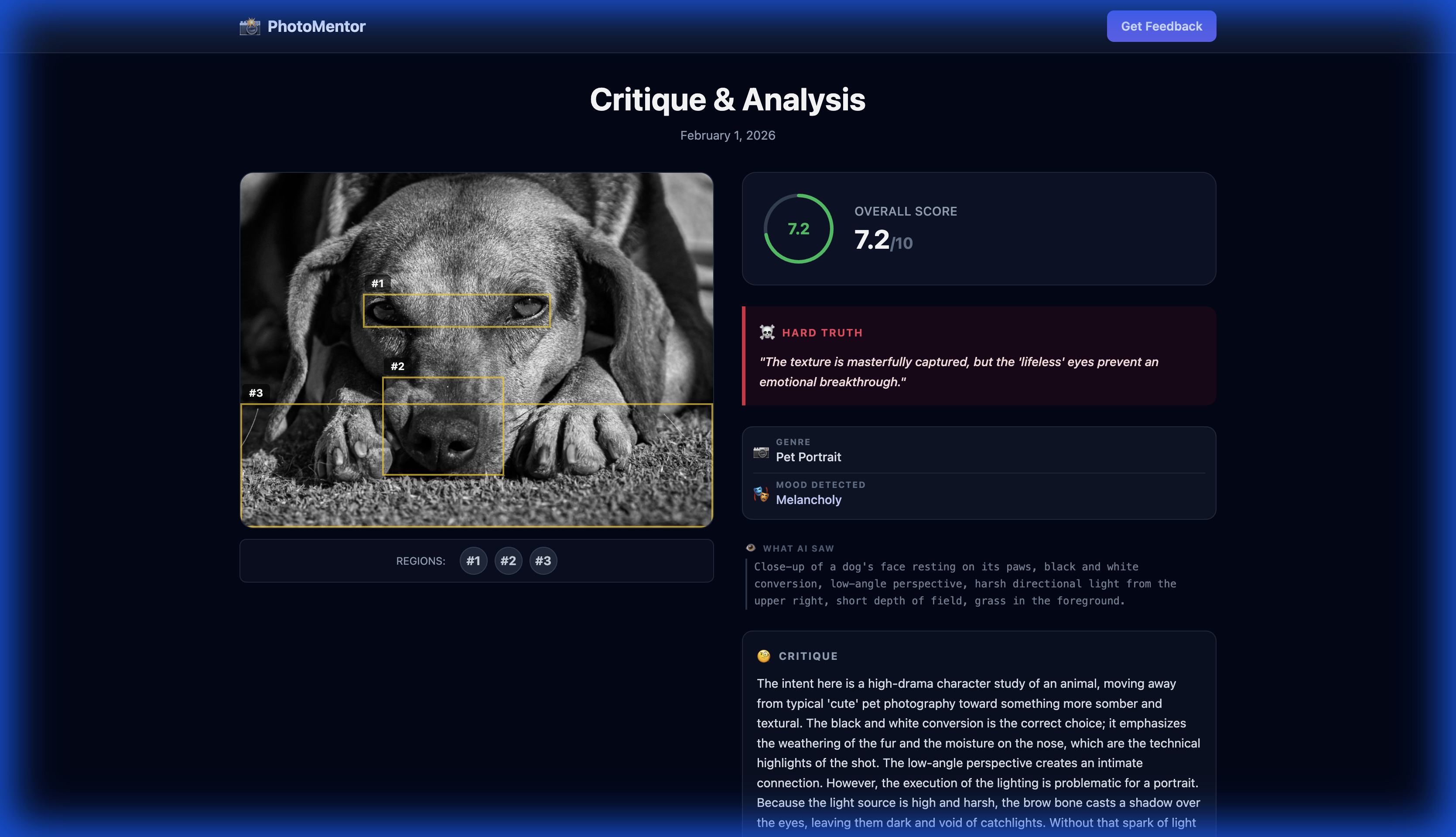
Dog in B&W
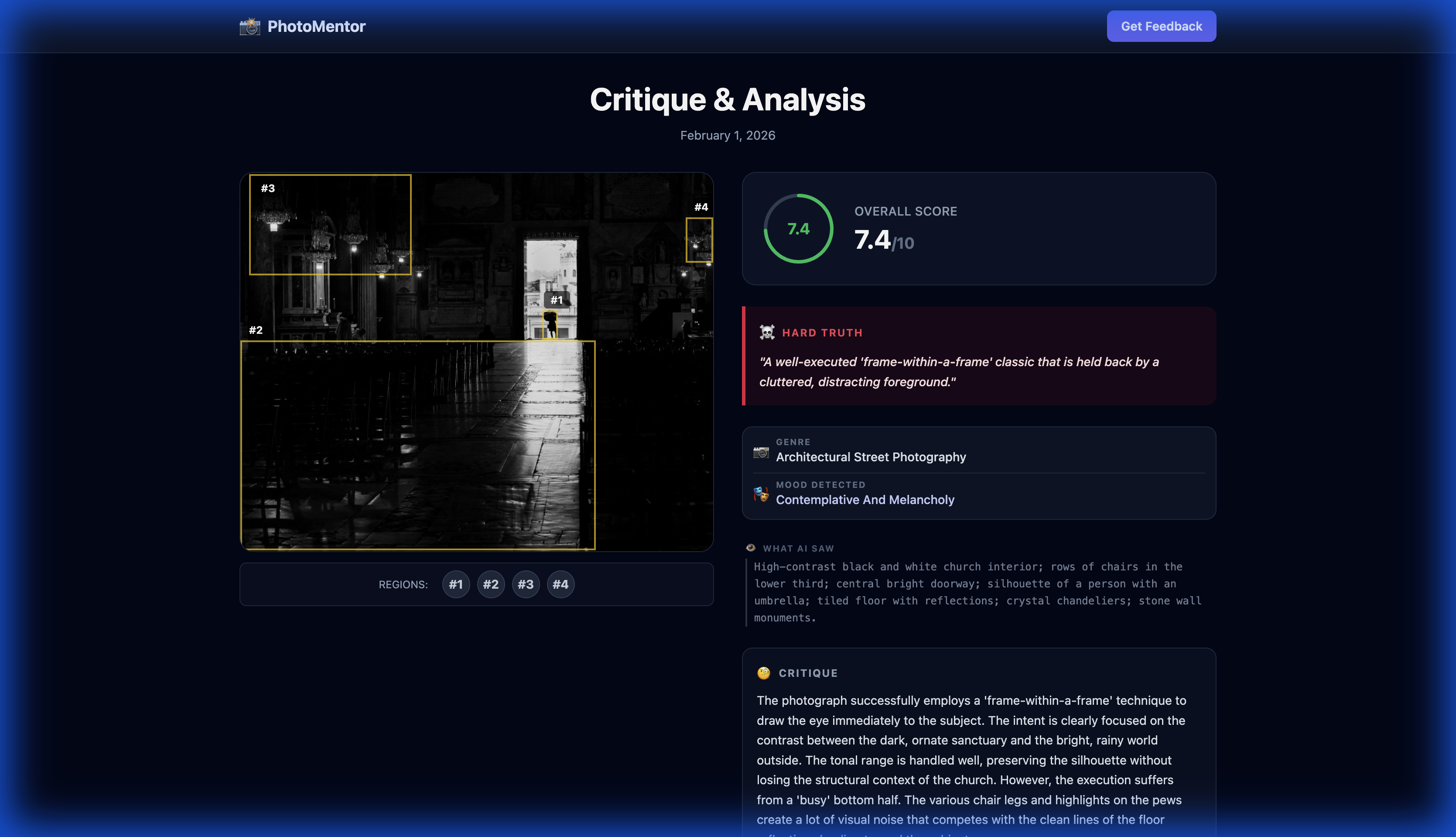
Church Interior
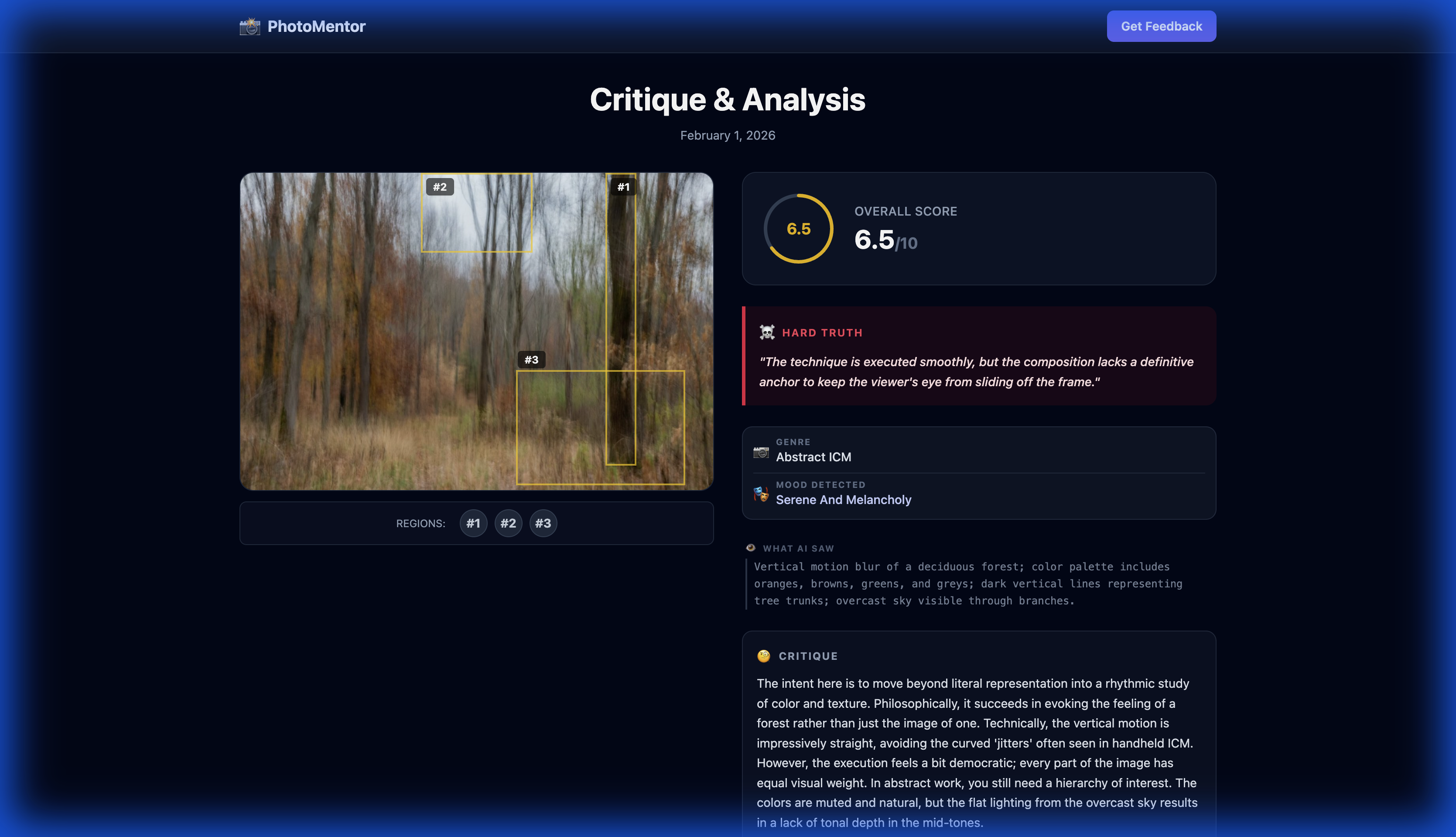
Motion Blur Art
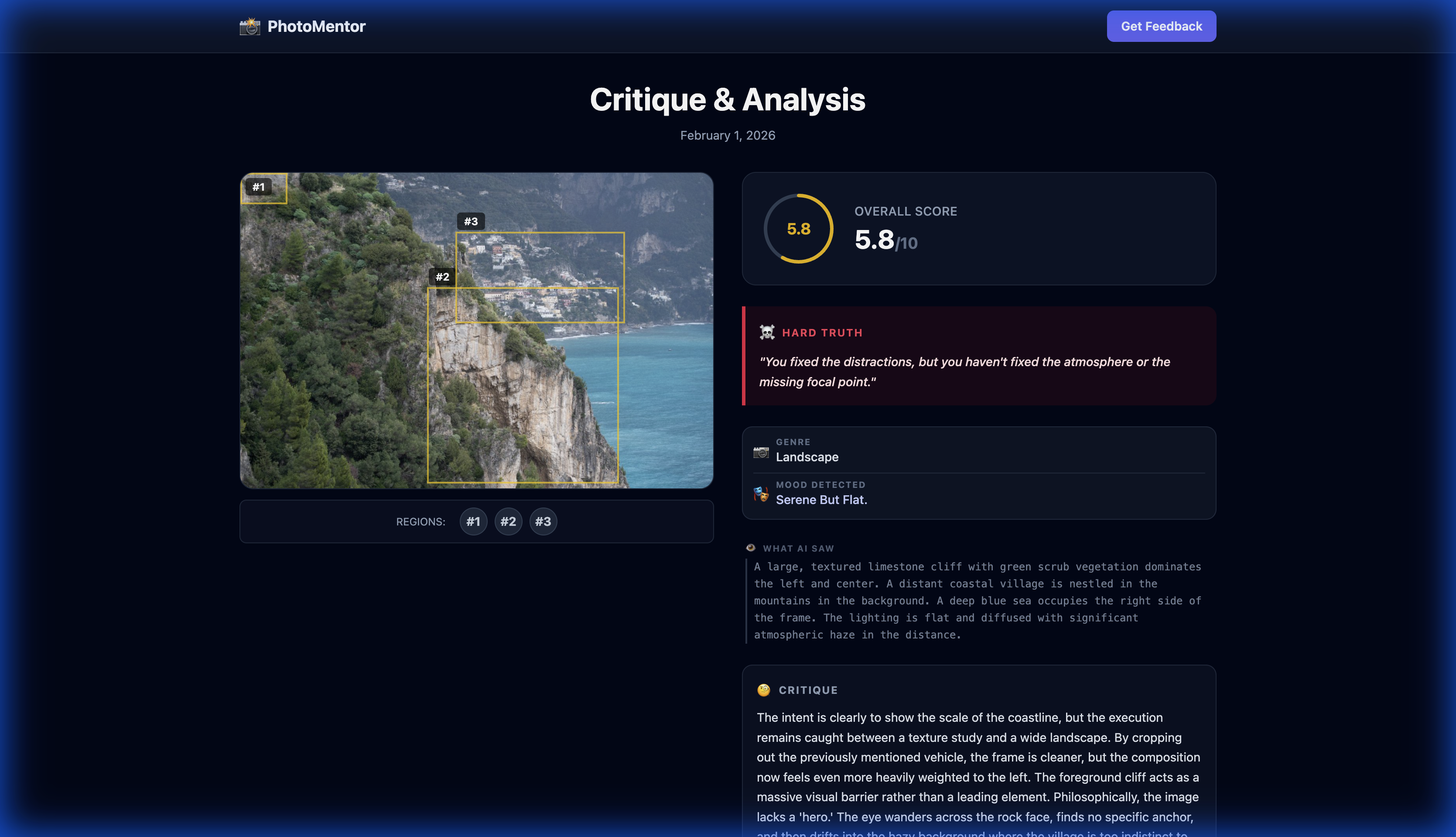
Mountain Vista
↑ Click any card to see the full critique with bounding boxes and detailed feedback
Photo Analysis for Photographers Who Want to Improve
Get specific critique on composition, light, timing, color, framing, and genre decisions — not vague likes or generic advice.
👁️ See What You Missed
Distraction points and visual dead zones that weaken the frame — the kind of photo analysis a working photographer would give you, highlighted with bounding boxes.
📐 Composition Debugger
Framing checked against Rule of Thirds, Leading Lines, and Balance — with a verdict on whether your break works.
🎯 A Trained Eye On Demand
Visual taste takes years to build. Get a senior editor's perspective on every frame, instantly.
Simple, Transparent Pricing
Start free. Upgrade when you're ready.
Free
- • 2 Welcome analyses
- • 1 analysis / month
- • Full critique with visual region highlights
- • Personal Progress Dashboard
- • 1 Bulk Culling demo
- • Up to 3 deep-critiqued Bulk finalists
Pro
- • Unlimited analyses
- • Latest AI model (2× faster)
- • Unlimited visual region highlights
- • Detailed light & color critique
- • History & Progress Stats
- • 5 Bulk Culling jobs / month
- • Up to 5 deep-critiqued finalists per Bulk session
Pro Workflow
- • Everything in Pro
- • Unlimited Bulk Culling
- • Priority queue
- • Deep critique without the Free or Pro finalist cap
Culling a full shoot?
PhotoMentor Bulk Culling turns a large session into an explainable shortlist. It ranks the strongest frames by technical quality and session theme, then shows why each finalist made the cut. Best on desktop — built for real culling workflows.
Read practical photo culling guides · Compare culling workflows by verified criteria
An honest note from the founders
"But I shoot with grain, blur, and broken rules on purpose."
We hear this a lot - and it's the right thing to ask.
PhotoMentor isn't a rules enforcer. It's a trained eye. It can tell the difference between camera shake and intentional motion blur, between a noisy snapshot and grain as a stylistic choice.
And here's the thing: the photographers who break rules most powerfully are the ones who first know exactly what they're departing from - and why it works. PhotoMentor helps you build that foundation. Or verify you already have it.
Frequently Asked Questions
Where can I rate my photo online for free?
PhotoMentor is the fastest way to rate your photo. Unlike Reddit or Instagram, you get an instant, objective score out of 10 based on professional photography rules (Composition, Lighting, Technique). It's 100% free to start.
Is PhotoMentor useful for serious photographers?
Yes — and it's built with them in mind. Whether you're a working professional or an advanced amateur who cares about improving, the AI critique is calibrated to professional editorial standards. It evaluates composition, light, technique, and emotional impact across 30+ genres from portrait and landscape to street and architectural photography.
How is AI photo analysis different from asking friends for feedback?
Friends rarely know what to look for technically, and they don't want to hurt your feelings. PhotoMentor's photo analysis is specific and actionable: it tells you exactly which element draws the eye away from your subject, whether your exposure choice serves the mood, and what genre conventions you're meeting or breaking — the feedback you'd get from a working photographer, available instantly for every shot.
How does PhotoMentor work?
PhotoMentor uses advanced vision technology trained on photography principles. When you upload an image, it analyzes composition elements like the rule of thirds, leading lines, and visual balance. It also evaluates lighting quality, color harmony, technical sharpness, and the emotional impact of your shot. You get a comprehensive score out of 10 with detailed explanations.
Is my photo stored or shared?
Your privacy is important. Photos are processed securely and stored only for your personal history. We never share your images with third parties or use them for training. You can delete your history at any time from your account settings.
What photography genres can PhotoMentor analyze?
PhotoMentor supports all major photography genres including portraits, landscapes, street photography, architecture, wildlife, macro, sports, abstract, food photography, and more. The system automatically detects the genre and applies relevant critique criteria. Over 30+ genres are supported with specialized analysis for each.
Can AI really replace human photo critique?
AI is a powerful tool for instant, objective feedback — available 24/7 without waiting for responses. It excels at technical analysis and composition principles. However, we recommend using PhotoMentor alongside human feedback for subjective artistic choices. Think of it as a knowledgeable second opinion that helps you improve faster.
What if I intentionally break the rules - grain, blur, unconventional framing?
Great question - and it means you're already thinking like a photographer.
PhotoMentor understands the difference between a technical mistake and a deliberate choice. Motion blur with intent reads differently than camera shake. Heavy grain as a stylistic decision is not the same as a poorly lit shot pushed in post.
There's also a deeper point: rules exist before they can be broken well. The photographers who use creative deviation most powerfully are the ones who first internalized what they're departing from. PhotoMentor helps you build - and verify - that foundation.
Do I need photography experience to use PhotoMentor?
Not at all! PhotoMentor is designed for photographers of all skill levels. Beginners receive explanations of photography concepts, while experienced photographers get technical deep-dives. The feedback adapts to help you grow no matter where you're starting from.
Why pay for PhotoMentor if I can ask ChatGPT or Claude to critique my photos?
You can — the same way you can ask a chatbot for driving directions instead of using Maps. Same underlying technology, very different experience.
With a general chatbot you need to craft a prompt, explain what kind of feedback you want, and paste or describe your photo. PhotoMentor is built for one thing: drop the photo, get a structured critique instantly — score, categories, specific areas highlighted directly on the image, history of your progress over time.
PhotoMentor also provides a purpose-built Bulk workflow for grouping related frames, reviewing a ranked shortlist, and retaining photographer control over the final selection.
How does Bulk Culling compare to AfterShoot?
Aftershoot's official culling page describes local desktop processing, RAW/JPEG input, duplicate grouping, review tools, and export to Lightroom Classic, Capture One, or local storage.
PhotoMentor is a browser-based alternative built around an optional session brief and readable reasons for finalists. It accepts supported browser image files; its current UI asks photographers to convert RAW files to JPEG or PNG review copies.
Choose Aftershoot when offline RAW and catalog handoff are central. Consider PhotoMentor when brief-aware, explainable review is central. Read the sourced comparison.